
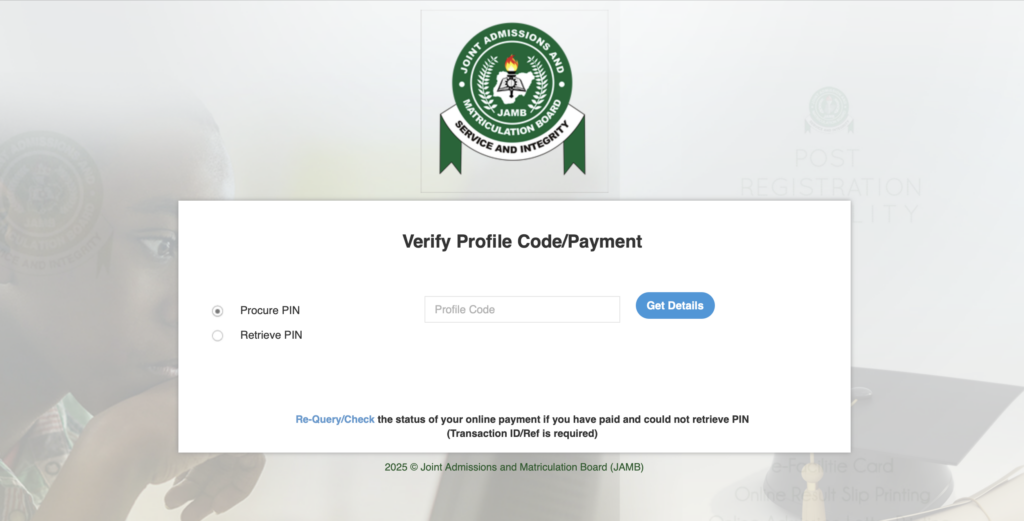
The Joint Admissions and Matriculation Board (JAMB) examination is a compulsory requirement for candidates seeking admission into Nigerian universities, polytechnics, colleges of education, and other tertiary institutions. Every year, millions of candidates register for the Unified Tertiary Matriculation Examination (UTME) or Direct Entry (DE), making it essential to understand the correct procedures for buying the JAMB ePIN online and filling the JAMB form accurately.
In this comprehensive article, Infonaijabase explains everything you need to know, step by step so you can avoid mistakes, save time, and complete your JAMB registration successfully.
What Is a JAMB ePIN?
A JAMB ePIN (Electronic Personal Identification Number) is a unique code issued by JAMB and used to access the JAMB registration portal. Without a valid ePIN, you cannot register for UTME or Direct Entry.
The ePIN replaces the old scratch card system and can be purchased online or through approved channels such as banks, mobile money operators, and fintech platforms.
Requirements Before Buying JAMB ePIN
Before purchasing your JAMB ePIN, ensure you have the following:
- A valid National Identification Number (NIN)
- A functional mobile phone number linked to your NIN
- Access to the internet
- Means of payment (ATM card, bank transfer, USSD, or mobile wallet)
- An email address (recommended)
Important: JAMB registration cannot proceed without NIN verification.
How to Create a JAMB Profile Code
Your JAMB profile code is mandatory before buying an ePIN.
Steps to Create JAMB Profile Code:
- Send NIN to 55019 or 66019 via SMS
- Example:
NIN 12345678901
- Example:
- Ensure you send the SMS using the phone number linked to your NIN
- You will receive a 10-digit profile code via SMS
Keep this profile code safe as it will be required for purchasing the ePIN and registration.
How to Buy JAMB ePIN Online (Step-by-Step)
There are several approved online platforms where you can buy your JAMB ePIN safely.
1. Buy JAMB ePIN via JAMB e-Facility Portal
- Visit the official JAMB ePin portal
- Create or log in to your JAMB profile
- Select UTME or Direct Entry
- Choose your preferred payment method
- Complete payment
- Your ePIN will be displayed and sent via SMS/email
2. Buy JAMB ePIN from Banks
You can purchase the ePIN from approved banks such as:
- Access Bank
- First Bank
- GTBank
- Zenith Bank
- Union Bank
- Polaris Bank
Steps:
- Visit a bank branch or use USSD
- Provide your JAMB profile code
- Make payment
- Collect your ePIN receipt
3. Buy JAMB ePIN Online via Fintech Platforms
Approved platforms include:
- Remita
- Interswitch
- OPay
- Flutterwave partners
- Quickteller
Steps:
- Select JAMB ePIN on the platform
- Enter your profile code
- Pay online
- Receive your ePIN instantly
Cost of JAMB Registration
The typical breakdown includes:
- JAMB ePIN: ₦3,500
- Reading Text: ₦500
- Registration Service Charge: ₦700
- CBT Centre Fee: ₦700
Total: Approximately ₦5,400 (may vary slightly by year)
How to Fill the JAMB Form – Step-by-Step
After buying your ePIN, the next step is completing the JAMB registration form.
Step 1: Visit an Accredited JAMB CBT Centre
JAMB registration must be completed at an accredited CBT centre. Cybercafés are not allowed.
Step 2: Biometric Capture
At the CBT centre:
- Your fingerprints will be captured
- Your passport photograph will be taken
- Facial recognition is done
This ensures exam security and candidate verification.
Step 3: Submit Your ePIN
Provide your ePIN to the CBT centre operator to access your registration form.
Step 4: Fill Personal Information
Ensure the following details are accurate:
- Full name (as on NIN)
- Date of birth
- Gender
- State and local government
- Email address and phone number
Errors at this stage can affect admission later.
Step 5: Choose Examination Town and Centre
Select:
- Preferred examination town
- Backup town (optional)
Your exam centre will be assigned within your chosen town.
Step 6: Select Institutions and Courses
You can choose up to:
- First choice
- Second choice
- Third choice
- Fourth choice
You may select:
- Universities
- Polytechnics
- Colleges of Education
- Innovative Enterprise Institutions (IEIs)
Choose courses you are academically qualified for.
Step 7: Choose UTME Subjects
- English Language is compulsory
- Choose three other subjects relevant to your course
Use the JAMB brochure to confirm subject combinations.
Step 8: Upload O’Level Results (If Available)
You may upload:
- WAEC
- NECO
- NABTEB
If results are not ready, select “Awaiting Result” and upload later.
Step 9: Review and Confirm Details
Carefully cross-check:
- Names
- Course selection
- Subjects
- Exam town
Once submitted, some details cannot be changed.
Step 10: Print JAMB Registration Slip
After submission:
- Print your JAMB registration slip
- Keep it safe—it contains your registration number
Common Mistakes to Avoid During JAMB Registration
- Using the wrong NIN phone number
- Choosing incorrect subject combinations
- Misspelling names
- Selecting unaccredited CBT centres
- Ignoring JAMB brochure guidelines
How to Reprint JAMB Slip and Exam Date
Before the exam:
- Visit JAMB e-Facility portal
- Log in with your email
- Click Print Examination Slip
- Check your exam date, time, and centre
Conclusion
Buying your JAMB ePIN online and filling the JAMB form correctly is the foundation of a successful UTME or Direct Entry application. By following the steps outlined in this guide, you can avoid costly mistakes and ensure a smooth registration process.
Always use official JAMB channels and accredited CBT centres, double-check your details, and keep all registration documents safe. Proper preparation starts with proper registration.
Frequently Asked Questions
Can I buy JAMB ePIN without NIN?
No. NIN is compulsory for JAMB registration.
Can someone buy ePIN on my behalf?
Yes, but your profile code must be used.
Can I edit my JAMB form after submission?
Only limited corrections are allowed and may attract a fee.